Category: Books & Reference
Developer: Librera
 Verified App


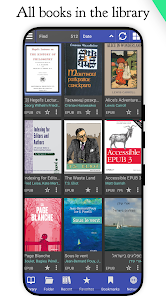
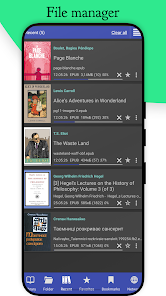
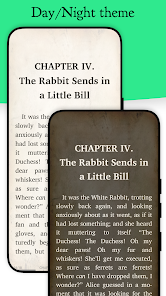
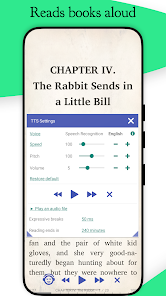
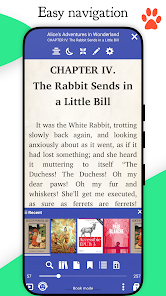
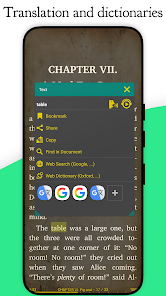
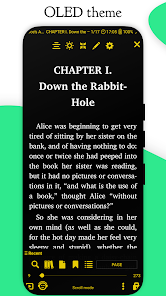
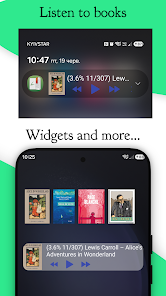

 Librera offers a user-friendly interface Supports various file formats Customizable reading settings Night mode for comfortable reading Built-in dictionary for quick lookups Syncs across devices effortlessly
 Limited customization options Occasional performance lags User interface can be cluttered Inconsistent file format support Ads can disrupt reading flow
  Google Play
  App Store

so close to being at least 4 stars. somehow, there's a progres bar on the bottom that you can't see, but can swipe to the end or beginning of the book, instead of hitting one of the 3 android buttons on screen. lost my place 20+ times today alone. got it so it doesn't automatically pop up the blue menus on top and bottom of the pages but when I need them, I can't figure out how to get them back, and in doing so... lose my page. there's way too many ways to flip pages, and lose your page.
I love this app! It enables the user to read books and papers in any format.. PDF, epub, MOBI, txt, etc and is more customizable than most. The app allows one to change a wide variety of settings, including the font, color, format and style of the file, according to personal needs and preferences. An all in one reader that replaces the need to have separate apps for each type of file.. convenient and highly useful. 😻
I'm very impressed with this eBook reader and would buy it if the free version or anybody online had answers about its ability to highlight. The only way to indicate where in the page you have left off, which I usually use highlighting for, is to add a bookmark on the text but it doesn't show the bookmark at that place on the page. It only shows the bookmarked text in the upper left corner of the screen. This means that finding where you left off is unnecessarily complicated.
I've been using this app for a couple years now. Because I have such limited time and/or brain bandwidth to read, I use the TTS feature almost daily. That being said, this most recent update did some damage to my TTS accessibility. Much of what I listen to has foreign names, words, pronunciations, etcetera in them. The update wiped out every single exception I had and all of my settings. It installed on its own today and wiped out EVERYTHING besides one bookmark and one favorite. Ouch. :(
One of the best Reader Apps I've found that is versatile and can do more than I need. At times it can be a bit to technical with options I don't understand so I just try and keep it simple. Once I found a complimentary TTS Voice App that wasn't completely digital sounding I was good to go. Now I use it to read PDF copies of books from time to time or downloaded ebooks from a subscription service. Only reason 4 stars is because it can often be confusing and not so user friendly for simple stuff.
Review Source: Google Play store public user reviews.
Yes, users can submit feedback and suggestions through the app's support or contact features.
Librera does not collect personal data, ensuring user privacy while using the app.
Yes, Librera allows users to read eBooks offline after downloading them to their device.
You can cancel your subscription through the app store settings on your device, following the subscription management options.
Librera offers a free version, and premium features can be accessed through in-app purchases, typically ranging from $1 to $5.
You can reach Librera's customer service through the app's support section or by emailing their support team directly. Check the official website for more details.
Open the app, go to the settings, and select the login option. Enter your credentials to access your account.
Librera typically does not require activation; simply download and install the app to start using it.
Librera does not have a specific customer number; support is primarily handled through email and in-app messaging.
Read books easilyEPUB, PDF and ComicsUpdate PDF engine