Category: Business
Developer: Thumbtack
 Verified App


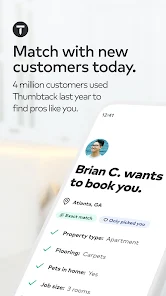
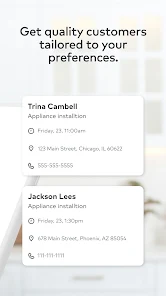
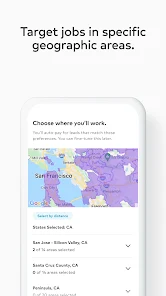
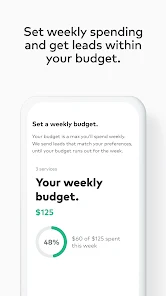

 Discover new clients easily Streamlined project management Access to valuable insights Flexible scheduling options Secure payment processing
 Limited client interaction High service fees apply Competitive bidding process Inconsistent job quality Time-consuming profile setup
  Google Play
  App Store

can't view receipts in the app (or browser) to figure out why they charged you. then it's also impossible to report an issue from within the app, and very difficult to reach customer support. they will push you to the AI chatbot and it tells you there's a technical issue preventing it from being able to escalate your issue to a human. and again, no way to report a technical issue with the chatbot. really poorly maintained product.
Most customers don't respond to messages or phone calls. Leads are crazy expensive. Got charged $75 for a lead that should have been less than $30 because the customer chose the wrong category. Then the customer ghosted me. Same story over and over. If you are the cheapest person in town and can respond instantly, you may do well on this app. If that isn't you, run.
It was ok in the beginning to supplement income when it gets a slow, but now it's just ridiculous. Always get charged for leads when I specifically state I'm not available to help customers. When I try to request a refund due to my availability, Thumbtack states that the customer is "flexible" on their timeline but are never willing to work with my timeline. 99% of the time my refund requests are denied, and if I do get a refund, I get another lead that goes nowhere. Getting scammed! Stay away!
Bleeds way too much money. Constantly getting inquiries of cheap people and it already charged me. Getting charged for Leads that aren't the right fit is outrageous. Way too much money, but when the right client does reach out its great. Just seems that if you're not setting your budget to "unlimited" it is very hard to get your ROI. There has to be a better method where we don't have to get charged for EVERY lead. That's like getting charged full price for just looking at an item at a store
Tamtec app is generally good, but there are a few issues to improve. In message search, it only shows clients already loaded on the page, so older clients cannot be found, while the web version works correctly. Also, when opening a lead and going back to messages, the page reloads and returns to the top of the list every time, which is inconvenient when working with multiple clients. These issues affect usability and need improvement in the Android version.
Review Source: Google Play store public user reviews.
Yes, users can submit feedback through the app or the official website's support section.
Yes, the app collects personal data to facilitate connections and improve user experience.
No, the app requires an internet connection to access job leads and communicate with clients.
You can cancel your subscription through the app settings or by contacting customer support.
Subscription costs vary based on the services you choose and the number of leads you purchase.
You can reach Thumbtack customer service through the app or their website by navigating to the Help Center. You can also email support directly for assistance.
After signing up, check your email for an activation link. Click the link to activate your account and start using the app.
Open the app and enter your email and password. If you’ve forgotten your password, use the “Forgot Password?” link to reset it.
Thumbtack does not publicly list a customer service phone number. Use the app or website for support inquiries.
- General bug fixes and performance improvementsThanks for using Thumbtack!