Category: Tools
Developer: LiveU Inc.
 Verified App


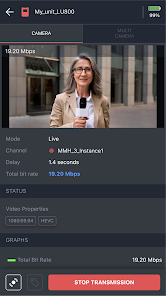
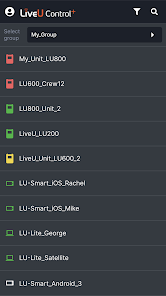
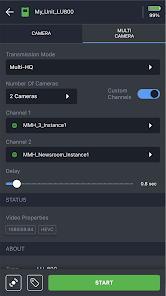
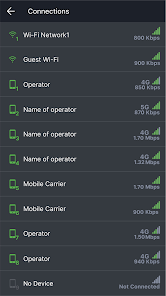
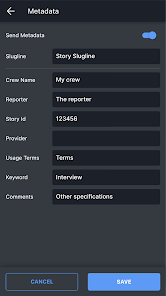
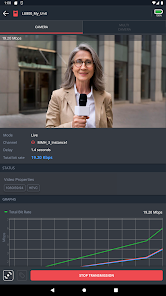
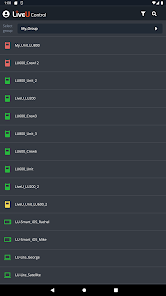
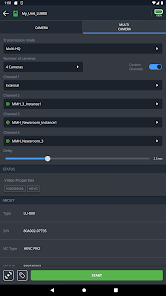

 Experience seamless streaming Manage multiple streams easily Real-time monitoring and alerts User-friendly interface design Cloud-based for flexibility
 Limited device compatibility Steep learning curve for users Occasional connectivity issues High data usage during streams Requires stable internet access
  Google Play
  App Store

Works just like the previous app, but things are laid out much more nicely. I still wish filter settings would persist between launches: I almost never need to see offline units and yet, unlike in LiveU Central, I have to set the filter every time I log in. Maybe change the color of the filter icon when in use and display a number to indicate how many filters are active.
Terrific app! Very snappy interface. All the necessary tools in an easy location.
Very slow while loading
Review Source: Google Play store public user reviews.
You can reach Customer Service by visiting the LiveU website and using the contact form or calling their support number listed there.
To activate, open the app, go to settings, and enter your activation code in the designated field. Follow the prompts to complete the process.
To log in, open the app and enter your registered email and password. If you don’t have an account, you can create one directly in the app.
Yes, activation is required. You will need to enter your activation code provided during your purchase to access all features.
The customer support number for LiveU can be found on their official website under the support section.
Bug fix for user login when two-factor authentication (2FA) is enabled.