Category: Social
Developer: Ti.Live Team
 Verified App



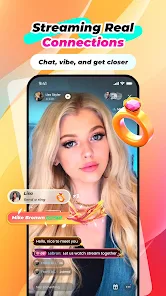
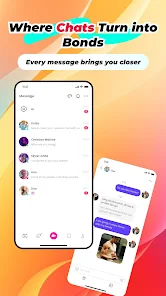
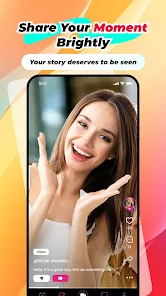

 Experience seamless streaming Connect with friends easily Enjoy high-quality video Customize your live sessions Engage with interactive chats
 Limited user engagement tools Inconsistent streaming quality High data consumption rates Complex user interface design Frequent app crashes reported
  Google Play
  App Store

For those getting the "Network Unstable" error, try using a VPN. I changed my location and it worked so, I believe it might be region locked. The app itself is nothing special. Would've given a higher review score if it weren't for the bugs. Constant freezes, laggy interface and the content isn't as good as others.
I used to love this app, the recharge is a little bit expensive but it's okay, but games are getting worst, games are the only way to get tokens aside from going live, but it's getting uglier, especially the slot, 4-8 consecutive empty spins are getting to many while the free spins is getting rarer, it wasn't like this compared to the last year's versions. This is not fun anymore, i guess it's time for me to put this app in the trash.
love the app. but I feel even if I pay for pass card I should still b granted the free items. in wich you are but not the full amount. which is unfair I feel. especially since I'm a paying customer. free is free. not less free when I pay. doesn't feel right. other then that I enjoy the app very much. thank you
kindly ban this app in the playstore, this is a very fraud app only focusing on looting people, I have recharged an amount in this app but they are not provided coins for to enter the live, nobody recharge in this app, you will waste your money. I will also write a note about this app to my government for illegal activities.
Thia app is full of bugs. I'm also a admin cant kick people who use trick to enter premium. They even record premium video. People with tick are invisible in show only if they send text then we now that there is a hidden person in show. We have proof of all of this. People openly selling tricks and recorder on their own app and now they will say its impossible. Most compromise applications of all time. There help also do nothing. No privacy no security.
Review Source: Google Play store public user reviews.
Yes, users can submit feedback through the app's support section or via email to the development team.
Yes, the app collects personal data to enhance user experience, but it adheres to privacy regulations.
No, Ti.Live-Chill & Stream requires an internet connection to function, as it is a live streaming platform.
You can cancel your subscription through your account settings in the app or via the app store.
Subscription costs vary based on the plan chosen, typically starting at a low monthly fee.
You can reach customer service through the app's support section or by emailing support
Open the app, tap 'Log In', enter your credentials, and press 'Submit'.
Yes, after registration, check your email for an activation link and follow the instructions provided.
The customer service number is available in the app under the 'Help' section.
Fix Crashes and ANRs