Category: Video Players & Editors
Developer: KineMaster, Video Editor Experts Group
 Verified App


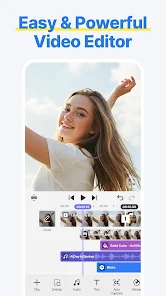
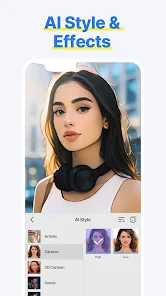
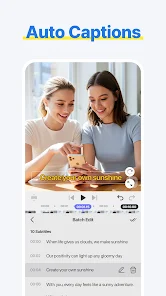
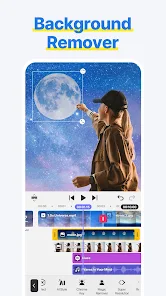
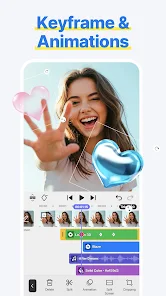
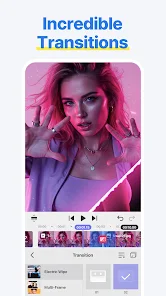
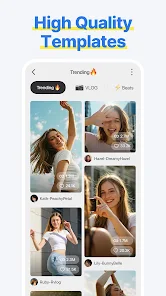

 Create stunning videos easily User-friendly interface for all Rich library of music tracks Advanced editing tools available Share directly to social media
 Limited advanced features Steep learning curve for newbies Occasional performance lags Export options can be limited Requires a stable internet connection
  Google Play
  App Store
For me, this is simply better than cap cut and any other auditing phone apps. Completely add free, totally free to use (there is vip it's just nothing too important you'll be missing out without it). it's kinda tricky to get used to it, but when you do, you'll never want anything else. One of the things I'd point out is that it has built in videos (like pexels and pixabay) that are very useful if you want to make something fast and simple.

so many improvements i think would greatly benefit this editor, being an annual premium member, I see the potential. An option to merge scenes together after trimming them, being able to zoom in or out a piece of media through diffrrent ways; and be able to sift through the video with a finger to see the image of all frames while zooming in our out, (rn only first and lasy frame) and please better processing speeds! overall though better than capcut,
I like this app, and it's a bit better than KineMaster since it doesn't have a watermark. but, there is some stuff that needs to be changed. #1 is that the wiggle effect is a pro feature for some reason. and #2 is that letters like c, g, p, etc will either stay in the center of go up at the same position as stuff like b. fix this please.
Seems to be an okay video editing app to me, but the one thing that grinds my gears is that at certain times, I'll not only go ahead and remove the outro, but the second I go and export my video without seeing the outro, I'll get this message saying "Advertisements are unavailable" or something like that, and all I end up doing is just restart my phone. But to look on the bright side is that at least this app doesn't have an annoying watermark, like the actual KineMaster app does.
I’m impressed. This editor automatically transcodes the quality, which removes stuttering, especially when speeding 2x clips. With most other video editors, the preview usually lags when I set the speed to 2x, which messes up the timing with my music, after I export. This one handles it fine, Though my only issue is the overlay limit. It tells me the limit is exceeded unless I manually layer the clips, which is a bit of annoying.
Review Source: Google Play store public user reviews.
Yes, users can submit feedback and suggestions through the app's support section or via their official website.
Spring may collect some data for functionality and improvement purposes, but it prioritizes user privacy and data security.
Yes, Spring allows users to edit videos offline, enabling creativity without needing an internet connection.
You can cancel your subscription through your app store settings or within the app's subscription management section.
Subscription costs vary based on the plan chosen, typically offering monthly and yearly options for premium features.
Yes, go to account settings in the app to update your email address.
You can contact customer service through the app's support section or visit the official website for assistance.
Open the app and tap on the login option, then enter your registered email and password to access your account.
Use the "Forgot Password" option on the login screen to receive a reset link via email.
Go to your account settings, find the subscription section, and follow the prompts to unsubscribe.
Text UI Overhaul: Input, revise, style, and format directly on the Preview screenNew Text Animation: Word-by-word