
Version: 3.23.7
Developer: Field Agent Inc.
 Verified App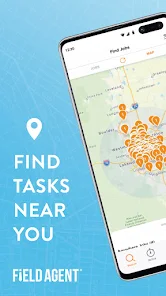
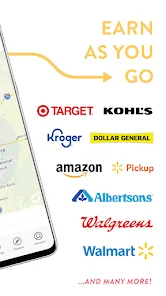
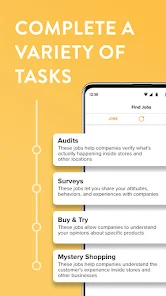
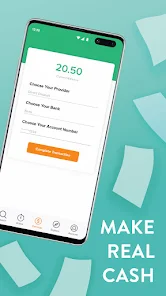
Field Agent App is a mobile application that allows users to complete tasks and earn money. It is available for both iOS and Android devices. The tasks available on the app range from mystery shopping to product testing and surveys. Users can select tasks that are available in their area and complete them for a fee. The app also allows users to track their earnings and manage their payments. Field Agent App is a great way for people to make extra money in their spare time. It is easy to use and provides a convenient way to make money on the go.
Features & Highlights
Field Agent is a remarkable app designed to connect users with a variety of tasks that can be completed in their local area, offering a unique blend of market research and real-world tasks. Here are some of its core features:
Real Experience Using Field Agent
Application Scenarios
Using the Field Agent app has seamlessly integrated into my daily routine. On a typical Saturday morning, I might check the app while sipping my coffee. I remember one instance when a task popped up at a local convenience store asking for a pricing audit on snack items. I quickly grabbed my bag and headed out, knowing that it wouldn’t take long to complete. The thrill of turning a mundane Saturday into an opportunity for extra cash was exhilarating. Another time, I used the app while traveling for work. I found a task at a nearby gas station that required a photo of their promotional signage. It was a perfect way to earn some extra money while on the road.
User Experience
The overall user experience of the Field Agent app is impressive. Upon logging in, the clean and organized interface welcomes you with various task options tailored to your location. Each task includes clear instructions and an estimated earning potential, which makes it easy to decide what to tackle next. I appreciated the real-time updates on task availability, and the performance was smooth with no glitches or lag during use. The app’s design is intuitive, making the process of accepting, completing, and submitting tasks very straightforward. After using the app consistently, I found that it became a fun and rewarding way to engage with my community while earning some extra cash.
Pricing
Field Agent operates on a task-based payment system. While there's no upfront cost to download or register for the app, the earnings depend on the tasks you complete. Most tasks typically pay between $3 and $12, depending on the complexity and time required. Given the potential for quick payments and the flexibility of choosing tasks that suit my schedule, I find the pricing model very fair and accessible.
Updates & Support
Field Agent is proactive in keeping its users informed about new features and updates. The app has undergone several updates since I started using it, which have improved functionality and expanded task offerings. Additionally, customer support is responsive; I once faced an issue with a task submission and received a prompt reply from their support team, resolving the issue satisfactorily. This level of support enhances the overall experience, making me feel valued as a user.
Security & Privacy Review
When it comes to security and privacy, Field Agent takes several measures to ensure user safety. The app is available for download on both the App Store and Google Play, which adds a layer of credibility. Registration is straightforward, requiring only basic personal information such as email and phone number, which is standard for most apps. However, users should remain cautious about sharing any sensitive data beyond what is necessary.
Field Agent is transparent about its data usage policies, and I noticed minimal advertising or tracking behavior while using the app. They do not bombard users with ads, which is a significant plus in my book. Instead, the focus remains on connecting users with relevant tasks, ensuring that the experience remains enjoyable without excessive distractions. Overall, I feel secure using Field Agent, and I appreciate their commitment to protecting user privacy while facilitating a rewarding side hustle.

 Discover local insights easily Earn rewards for completing tasks Access real-time data updates User-friendly interface design Connect with brands you love
 Limited task availability Variable payment rates Inconsistent support response Tasks may be time-consuming
  Google Play
  App Store
 Yes, users can provide feedback and suggestions through the app or the official website.
Yes, Field Agent collects personal data to improve services and verify user identity, but it is committed to user privacy.
Yes, some tasks can be accessed and completed offline, but an internet connection is required to submit results.
There is no subscription to cancel; simply stop using the app if you choose not to participate.
Field Agent does not require a subscription fee; users earn money directly from completing tasks.
Yes, you may need to activate your account through the confirmation email sent after registration. Click the link provided in the email to activate.
You can contact customer service by visiting the Field Agent website and using the support section or emailing support
Use the 'Forgot Password?' option on the login screen to receive a password reset email. Follow the instructions in the email to reset your password.
The customer service number can be found in the app under 'Help' or on the Field Agent website in the contact section.
Open the app, enter your registered email and password, then tap 'Log In' to access your account.