
Category: Reference
Developer: Crossway
 Verified App


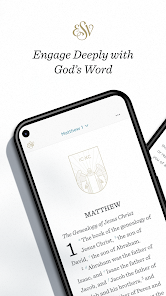
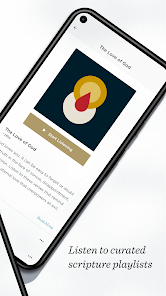

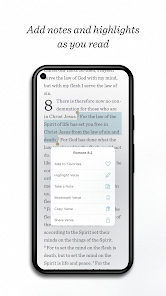
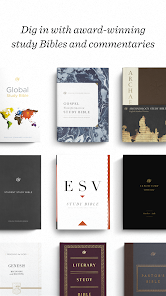
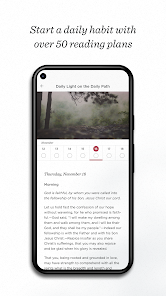
ESV Bible Mobile App is a free Bible app for iOS and Android devices. It provides access to the English Standard Version (ESV) of the Bible, as well as audio and video content, devotionals, and other resources. The app also includes features such as bookmarks, notes, and highlighting.
Features & Highlights
The ESV Bible app is packed with features that enhance the reading and study experience for users of all ages. Here are some of the standout highlights that make this app a must-have for anyone looking to deepen their understanding of scripture:
Real Experience Using ESV Bible
Application Scenarios
Every day, I find myself reaching for the ESV Bible app in various scenarios. In the morning, it’s my go-to companion during my quiet time with God. I often sip my coffee while reading a few chapters, highlighting key verses that resonate with me. During my lunch break, I use the app to catch up on my reading plan, ensuring I stay engaged with scripture throughout the week.
On weekends, I find the app especially useful during church services. The seamless search functionality allows me to quickly locate the verses that the pastor references, helping me to follow along more closely. Additionally, when I’m hanging out with friends or family, I love to share interesting passages or discuss themes found in the Bible, using the app to facilitate those conversations.
User Experience
The user interface of the ESV Bible app is both intuitive and aesthetically pleasing. Upon opening the app, I’m greeted with a clean layout that makes navigation effortless. The main menu is straightforward, allowing me to access the Bible text, reading plans, and audio features with just a few taps. The text itself is easy to read, with adjustable font sizes and background colors for comfortable reading.
Performance-wise, the app runs smoothly without any lag, even when switching between features. I appreciate the seamless integration of audio and text, making it easy to switch from reading to listening. Overall, using the ESV Bible app feels like having a personal study Bible that is always within reach, and I’ve found it enhances my spiritual growth tremendously.
Pricing
The ESV Bible app is free to download and offers a wealth of features without a subscription fee, which is a significant advantage for users. While there are optional in-app purchases available for various reading plans and additional resources, the core features are entirely accessible without any cost. This makes it an excellent option for anyone looking to dive into scripture without financial barriers.
Updates & Support
The ESV Bible app is regularly updated, ensuring that users benefit from new features and improvements. I’ve noticed enhancements in performance and user experience after recent updates, which is always a plus. The support team is also responsive, and I’ve found their FAQs helpful for troubleshooting minor issues. Knowing that I have access to reliable support adds to my overall satisfaction with the app.
Security & Privacy Review
As an American user, I prioritize security and privacy when using apps, especially those related to personal beliefs. The ESV Bible app can be found on both the App Store and Google Play, which reassures me of its authenticity and adherence to app store guidelines. Importantly, the app does not require extensive personal data for registration, allowing me to use it without feeling like my information is compromised.
Furthermore, the app is ad-free, which enhances my experience without distractions. I appreciate that the developers have chosen to keep the app clean and focused on scripture rather than monetizing through ads or tracking behavior. This commitment to user privacy allows me to engage with the content fully, knowing that my data is safe.

 Accurate and reliable translation of biblical texts Readable language enhances understanding for all ages Faithful to original manuscripts and meanings Widely respected among scholars and churches Study tools available for deeper engagement
 Limited accessibility for readers unfamiliar with archaic language Some theological interpretations may feel biased Lacks extensive footnotes and commentary options Fewer translations available for comparative study

An OK app, but, frankly I was expecting far more from it. there's VERY little depth in the tools, and the ones that are available are truly paltry. With so many open source in-depth tools available, I expected far more from the ESV. while I'll use it, it'll certrainly be a tertiary reference source given this. In terms of "usability", the app is very hard to use. you can't switch between windows easily or display multiple windows simultaneously. Thus, overall, it's unfortunately a poor app.
When I'm reading I like to highlight, take notes, copy & paste, etc. This app has a function that allows you to do that, and more. The problem is that when you're highlighting the section you want to mark, the pop-up box containing the available options covers over what you're trying to highlight so you can't see what's being highlighted. It's really quite irritating.
One of the best Bible apps on mobile. Easy and intuitive to use, great audio options (including voices and music). Another thing is the selection of study bibles, plans, and audio playlists. I personally don't use any of the "premium" content, but it can be useful to some, and it's good that it's available so conveniently. One thing I wish could be implemented is a side scrolling option, so that I can "turn" pages rather than scroll down. All in all it's a good app, highly recommended.
The app is lovely and straight forward. Fully deserves 5 stars. There are 2 things I'd love to see in the next update: 1. The ability to select more than one verse at a time. 2. To make a "journaling" page that links to the selected verse, and opens up with the date, the verse, and maybe even a pre-defined list of headings/questions to guide our reflections. These entries should be saved in a separate option on the app (like the library).
It's supposed to be more intuitive but I have no clue how to navigate to various places. And the icon won't show up on my phone. I have to go to Google play each time I want to use it. Narration is nice tho. Customer support reached out to me after this review to tell me if you tap on the reference at the top of the page you get a menu. Yay! I don't know how long I would have been frustrated it "didn't have" that feature otherwise. Some of the rest of you may need that heads up too.
Review Source: Google Play store public user reviews.
The ESV Bible app may collect certain personal data in accordance with its privacy policy, primarily for account management and user experience improvement, but it typically does not sell user data.
Yes, the ESV Bible app offers a free version that provides access to the basic features and the Bible text, while some premium features may require a subscription.
While the app can be used offline after downloading the Bible text, some features, such as accessing additional resources or updates, may require an internet connection.
Users can contact support or send feedback through the app's help section, which typically includes options for email support or links to online resources for assistance.
Users can manage or cancel their subscription through their account settings within the app or by visiting the subscription management section on the platform where they purchased the app.
Yes, you can change your login method in the account settings by linking or unlinking accounts.
You can contact customer service through the app's settings or visit the official website for support options.
Upon purchase, open the app, go to settings, and follow the prompts to activate your purchase using your account details.
Open the app and tap on the login option, then enter your email and password.
The ESV Bible app does not have a direct customer service number; support is mainly provided through email or online chat.
Fixed an issue that could cause Playlists and Themes to appear empty.











 Google Play
  App Store