
Category: Health
Developer: Wombat Apps LLC
 Verified App



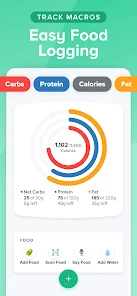
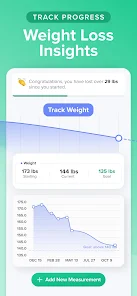

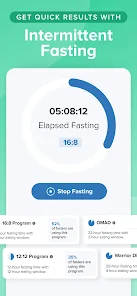
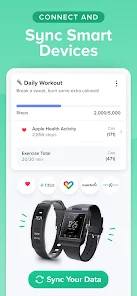

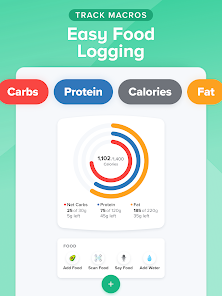
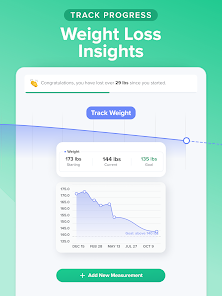
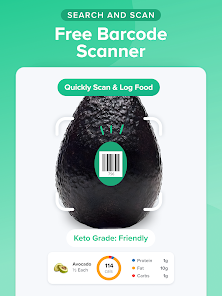
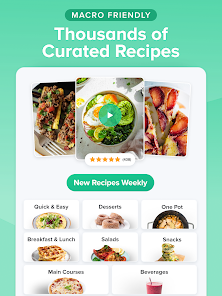
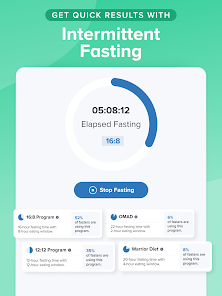
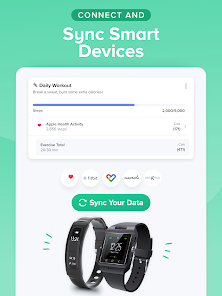
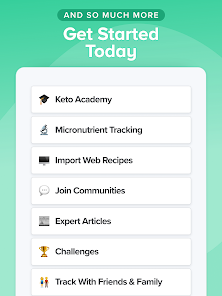
Carb Manager is an app that allows you to track your carbs, calories, and macros. It has a database of over 1 million foods, and you can also add your own recipes. The app lets you set goals and track progress, and it also has a community forum where you can ask questions and get support from other users.
Features & Highlights
If you're looking to manage your carbohydrate intake, Carb Manager stands out as a powerful ally in your health journey. Here are some of its core features that make it a favorite among users:
Real Experience Using Carb Manager
Application Scenarios
My experience with Carb Manager has been seamless and enriching. I typically use the app during meal prep sessions on weekends. For instance, while preparing meals for the week, I log each ingredient in real-time to ensure I stay within my carb limits. Another scenario is when I'm dining out with friends; I pull out the app to check the nutritional info of various menu items, helping me make healthier choices without feeling left out. It has genuinely transformed the way I approach food, making me more mindful of my choices both at home and on-the-go.
User Experience
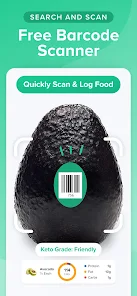
The user interface of Carb Manager is intuitive and user-friendly, making navigation a breeze. From the moment I opened the app, I was greeted with a clean layout that clearly displayed my daily carb intake and progress. The workflow for logging meals is incredibly smooth; I can either search for items in the database or use the barcode scanner, which saves a lot of time. Performance-wise, the app runs smoothly with minimal lag, even when switching between features. Overall, my experience has been overwhelmingly positive, as Carb Manager has turned what could be a tedious task into an engaging part of my daily routine.
Pricing
Carb Manager offers a free version that includes essential features, which is great for beginners. However, the premium version unlocks advanced features like meal planning and detailed progress reports for a subscription fee. Given the value it provides, I found the pricing quite reasonable, especially considering the extensive food database and customizable options available in the premium plan.
Updates & Support
Carb Manager frequently rolls out updates that enhance user experience and introduce new features. The support team is also commendable; I had a minor issue with syncing my data across devices, and their customer service responded promptly with a solution. This level of support gives me confidence in the app’s reliability.
Security & Privacy Review
As an American user, security and privacy are paramount when using any app, and Carb Manager addresses these concerns effectively. The app is available on both the App Store and Google Play, which adds a layer of trust. During registration, I noticed that the personal data requirements were minimal, only asking for basic information to create an account. I appreciate that Carb Manager does not bombard users with ads or engage in excessive tracking behavior, allowing me to focus solely on my health goals without distractions. Overall, I feel secure using Carb Manager, knowing that my personal information is handled with care.

 Easily track your carb intake daily Personalized meal plans for your goals Extensive database of foods and recipes Syncs with fitness trackers for better insights User-friendly interface for quick navigation
 Limited food database can hinder accuracy. Premium version required for advanced features. User interface may be confusing for beginners. Frequent ads can disrupt user experience.
This is a great app if you are trying to follow a strict diet. It's super easy to use, just look up a food you ate and add it to your meal (breakfast, lunch, dinner, and snack) and it calculates the nutritional info for you and keeps a daily log. It has every kind of food with all of its nutrition info, and you can add it by weight or piece(s), and it even has fractions from 1/8-7/8. You put in your goals, and you can plan your meals, look up recipes, add exercises, and even daily water intake!

Loved this app! Would be 5 stars if they hadn't taken away the back button and hidden the scan button in a menu. Don't give me more steps to get to what I need. Also, so many items have the wrong info and it's a pain to try to fix it. Otherwise, the app is helpful and I like it. Update: One button to open scanner. Thank you! Upgraded to 4 stars.
Not adding the carbs up right. Even if you add the item twice separately, it will still give a total of a single serving. For example, I added 2 lmnt powder mixed and it still only totaled out as one carb in the section I added it. Also annoying that lmnt has 2 carbs per packet but in the listing it only states one carb so that's also another miscalculation that can wreck your progress. This app is kinda a joke. Have to pay to see your nutrients when that is a free feature in other apps. Bye.
I have been using this app since december. I have absolutely loved it until today. I had an 8 day streak going and then I noticed it said "start your streak". I wasnt sure what was going on so I asked the bot under support. it said to log out and log back in. I did that and ALL of my entries from food, glucose entries, weights, measurements, recipies, all of it just GONE. I have put hours ans hours into this app and its all gone. i need help recovering it all.
I like it, but when you create a workout, it enters twice. when you delete one, both are deleted. also when creating another, the time and calories burned are the same as the created workout entered before. I won't do premium until this is fixed. EDIT PER DEVELOPER RESPONSE: they responded within a day and gave me some options to engage with more specifics. Regardless of the eventual resolution, awesome customer service. Thanks Wombat!
Review Source: Google Play store public user reviews.
Yes, Carb Manager does collect personal data such as your dietary preferences, weight, and activity levels to provide a personalized experience and improve its services.
Carb Manager offers a free version with basic features, as well as a paid subscription that unlocks additional premium features.
While Carb Manager can function offline for logging food and exercise, an internet connection is necessary for accessing the full database, syncing data, and using community features.
You can contact Carb Manager support through the app's help section, via email, or by visiting their official website for feedback and assistance with any issues.
You can manage or cancel your Carb Manager subscription through the app store where you purchased it, either on iOS or Android, or by accessing your account settings within the app.
You can reach Carb Manager customer service through the app's "Help" section or by emailing support
Your customer number is typically found in your account settings or profile section within the app.
Open the app, tap "Log In," and enter your email and password associated with your account.
Yes, after downloading the app, you need to create an account to activate it. Follow the prompts for registration.
- Upgrade Google Play Billing library- Bug fixes and improvements











 Google Play
  App Store